iPhone / iPad / Mac / Apple Watch
Your whole day.
One intelligent view.
Calendar. Health. Music. Focus. Rest.
Everything that shapes your day, finally working together.
Calendar. Health. Music. Focus. Rest.
Everything that shapes your day, finally working together.
One app. One daily view.
Most planning apps only show what you scheduled. Day Agenda adds the context that actually changes your day, like sleep, health trends, weather, and what is next. So you can plan smarter, feel better, and stay on track without juggling five different apps.
Explore Day Agenda
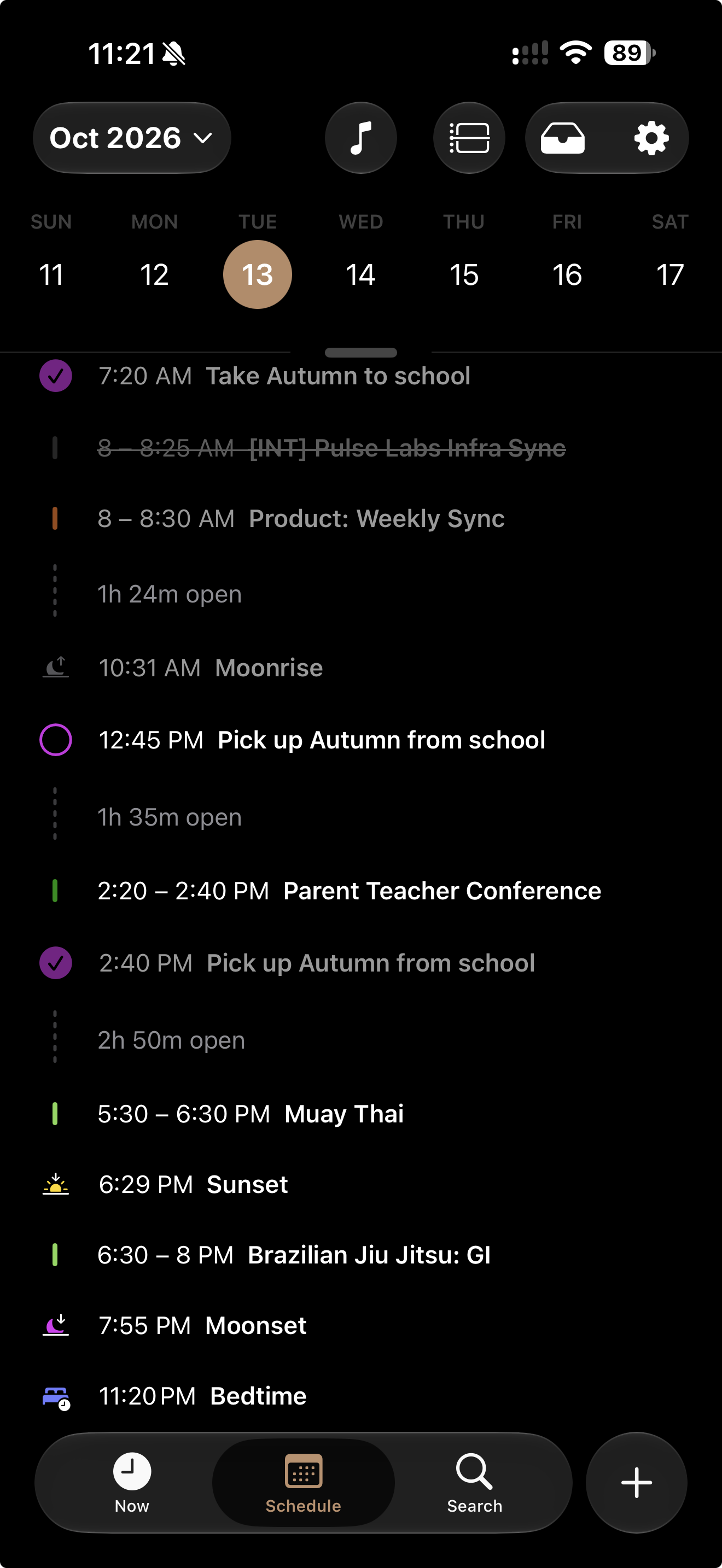
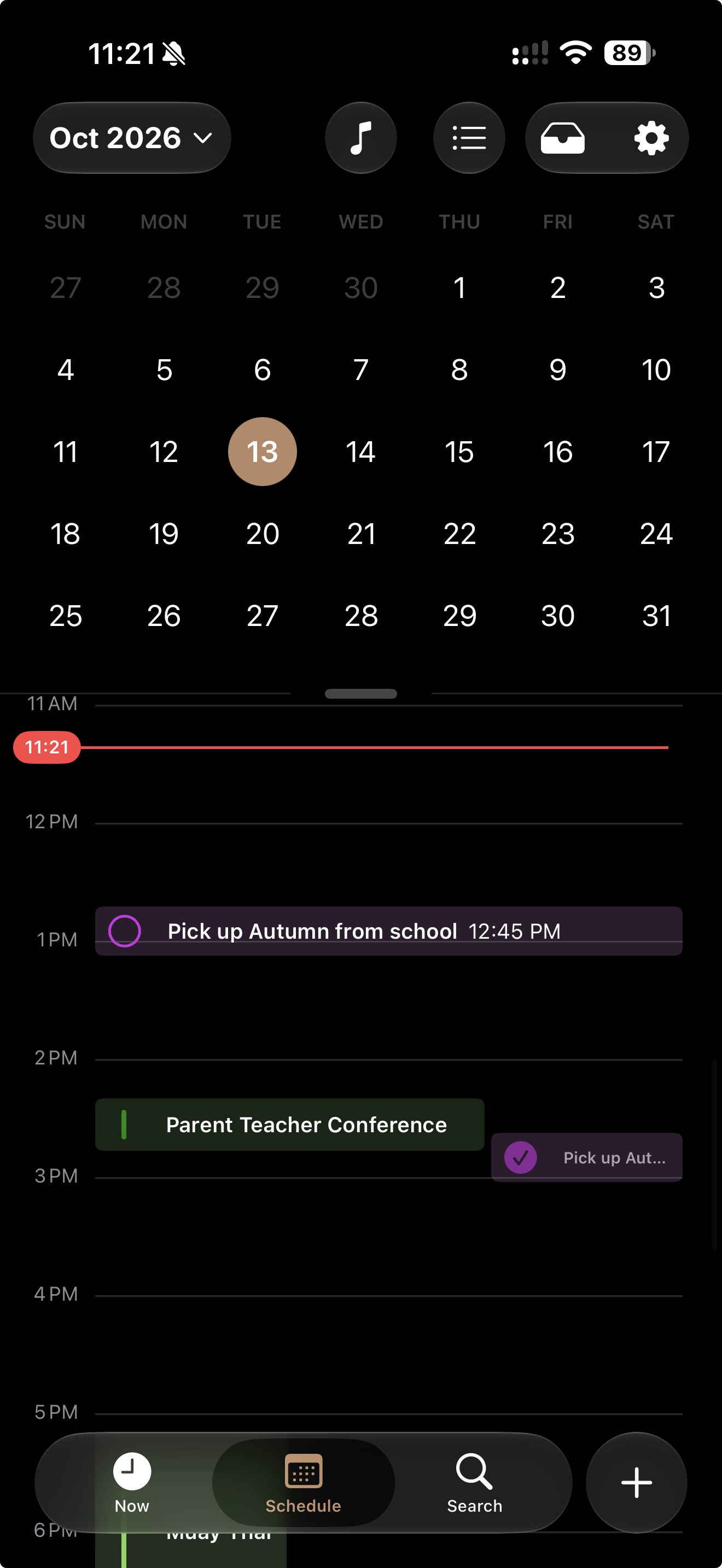
Switch between a list and hourly timeline, with all-day events, travel time, schedule gaps, and previews of upcoming recurring reminders.
Build a calm morning read with routes, news, quote, history, word of the day, verse, horoscope, intention, and reflection prompts.
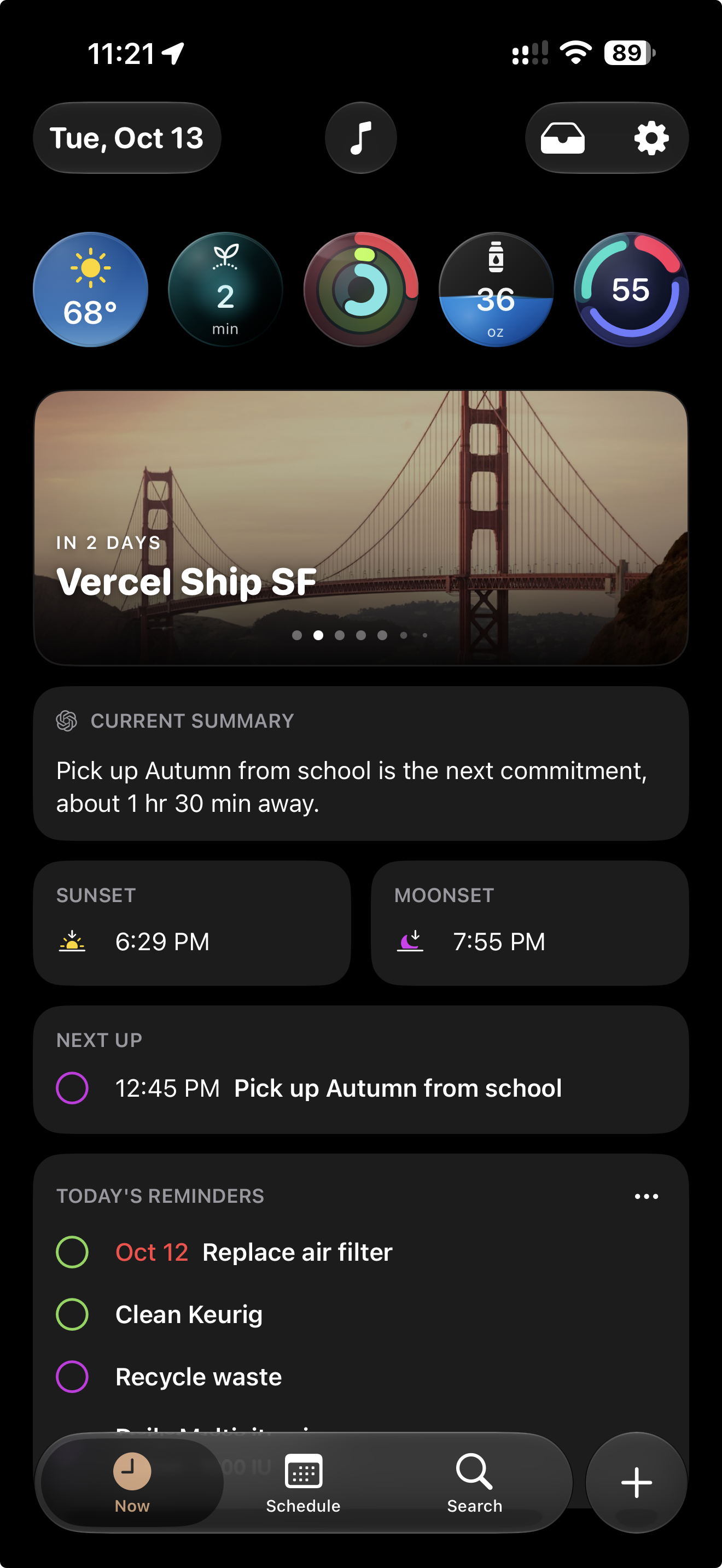
A live summary that adapts to your schedule, reminders, sleep, recovery, health, weather, and bedtime, with ChatGPT, Gemini, and Claude provider options.
Move between iPhone, iPad, and Mac with adaptive layouts, iPhone landscape views, and keyboard commands on iPad and Mac.
Browse events, check your signals and Current Summary, run mindfulness or focus sessions, and log water from your wrist.
Keep your agenda and signals on your Home Screen, Lock Screen, or Mac desktop. Follow events, flights, and timers with Live Activities on supported devices.
Start timers, jump into your agenda, and reach common Day Agenda actions from Control Center.
When your schedule is light, Day Agenda surfaces meaningful “On this day” moments and motivational quotes to keep momentum going.
Describe a goal or attach a photo, PDF, or text file. Review draft events and reminders, choose their destinations, and add them individually or together.
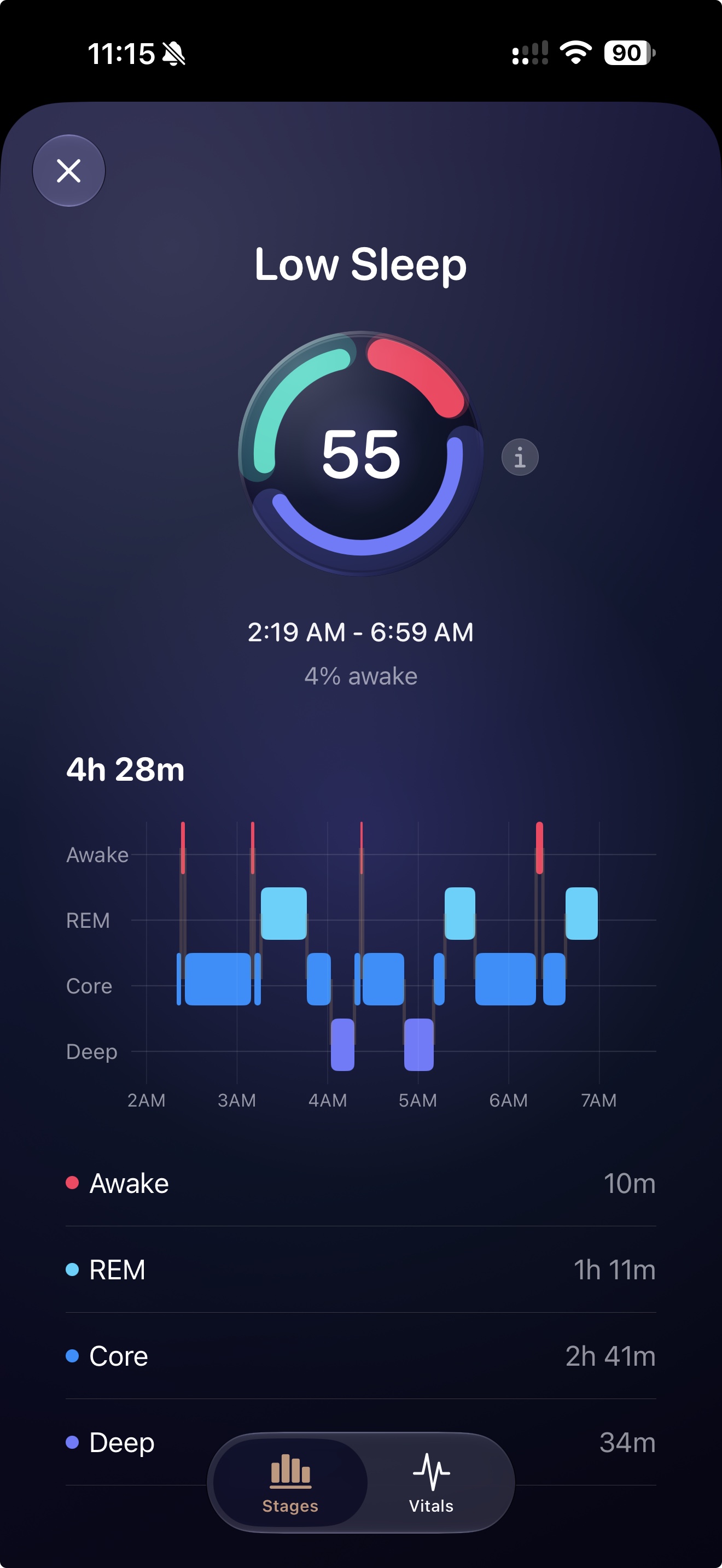
Sleep score, stages, and overnight vitals, shown where you plan your morning so it is easy to adjust your day.
Live WeatherKit conditions with visuals that match your sky, plus the details that matter like UV and wind.
Real-time tide info for coastal areas, built right into your daily weather view.
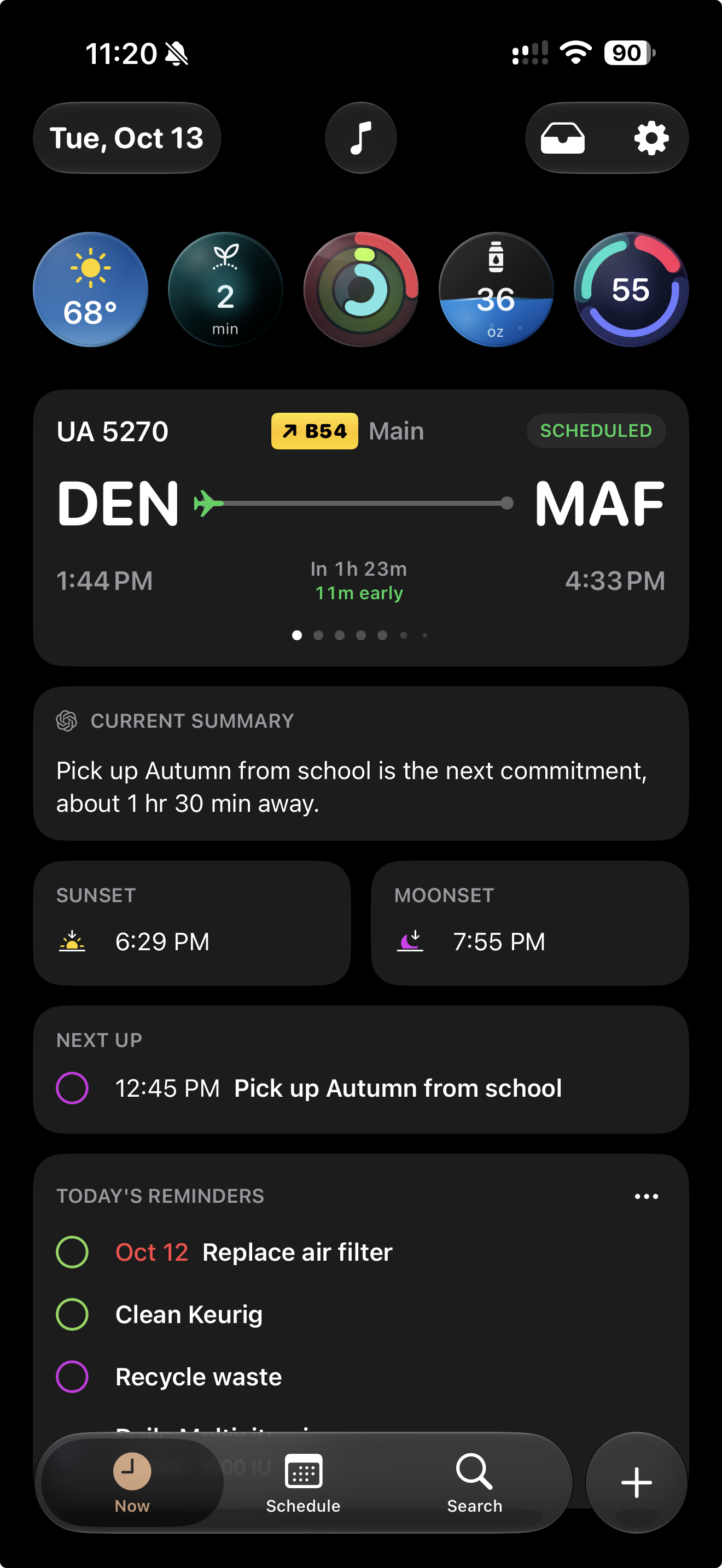
Live flight status with gate, delays, and departure updates, integrated directly into your daily timeline.
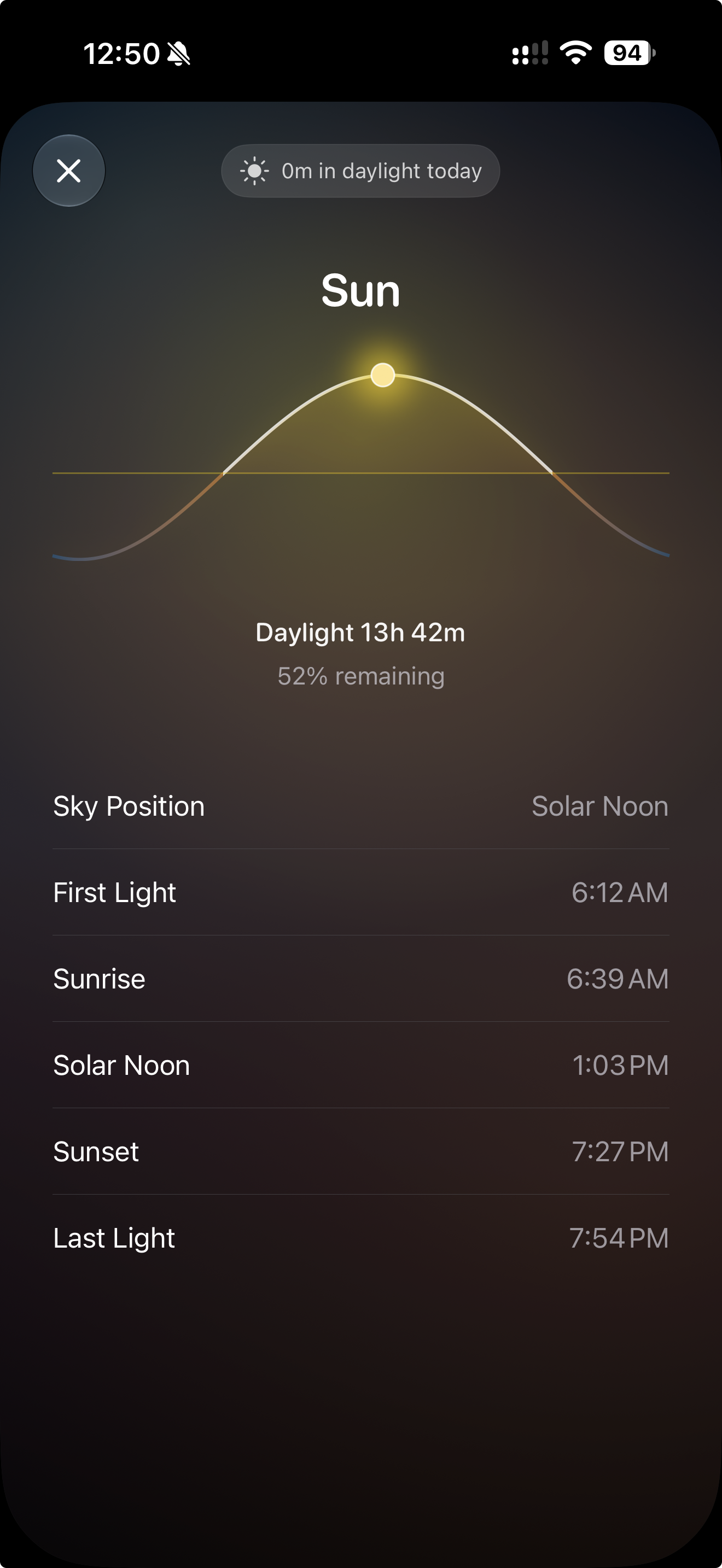
A beautiful sunrise and sunset arc with first light, last light, total daylight, and time outside today.
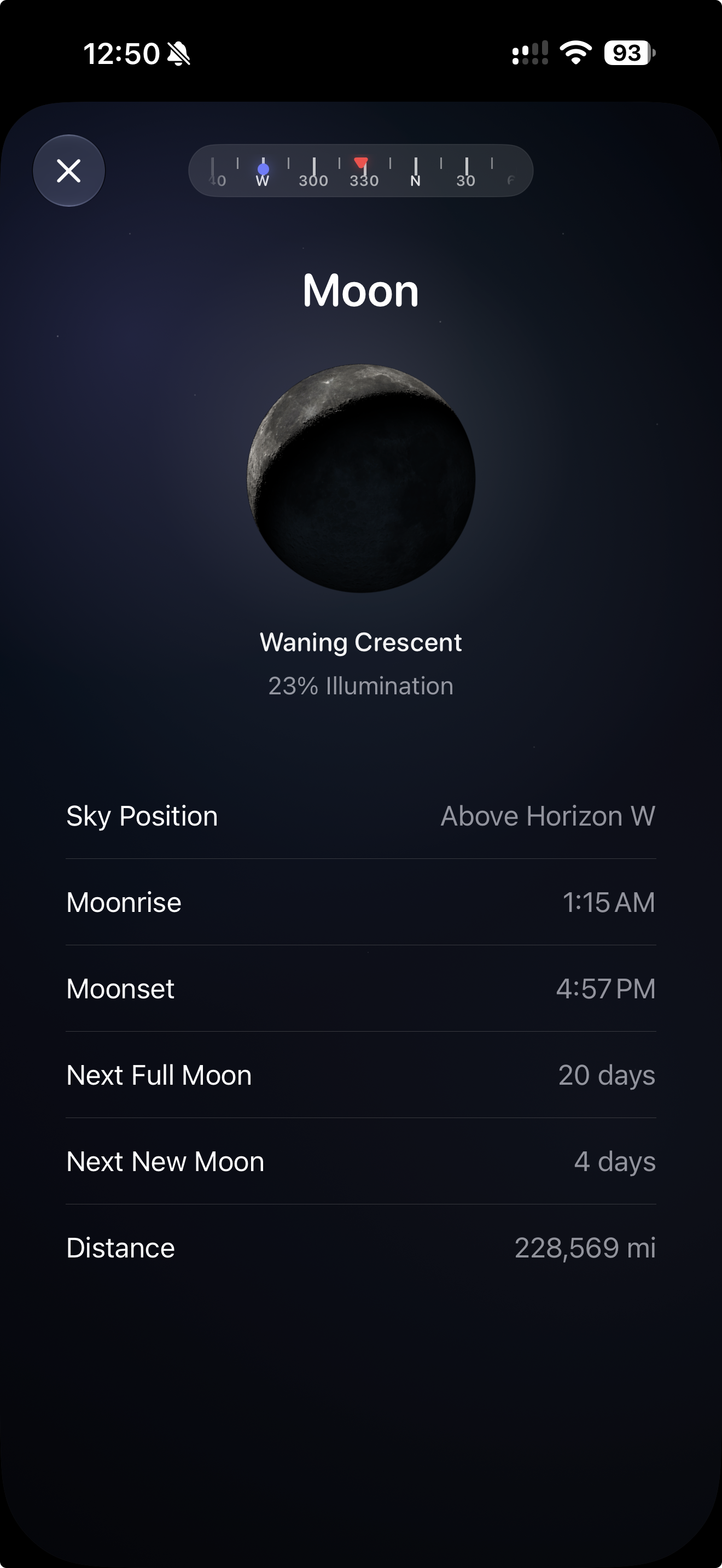
Explore phase, illumination, rise and set times, upcoming full and new moons, and sky position. Use the compass on a supported iPhone to find the Moon.
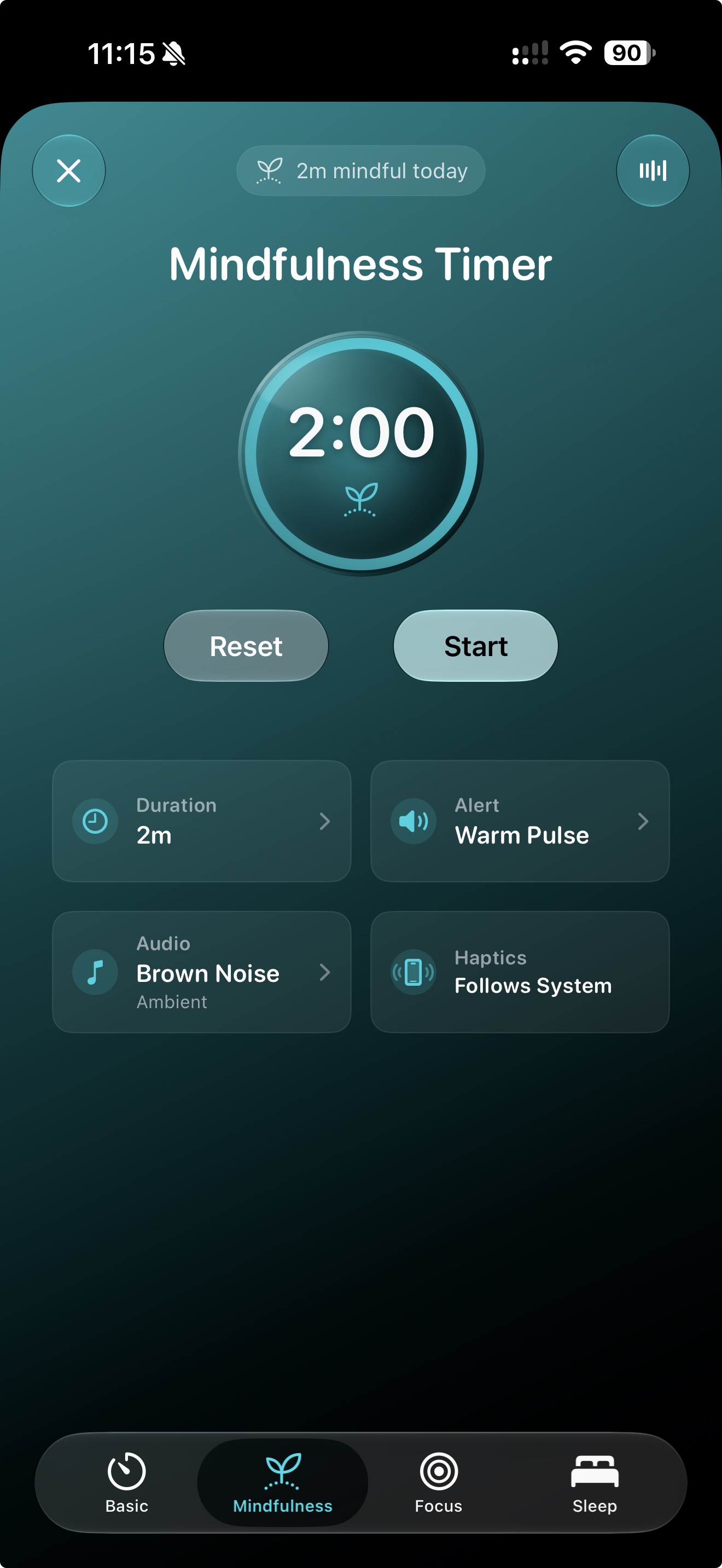
Choose Basic, Mindfulness, Focus, or Sleep. Set your audio and duration, log mindful minutes with permission, or stop playback quietly with the Sleep Timer.
Follow hydration, mindfulness, sleep, daylight, and activity. Choose goal notifications and see progress in your preferred signal styles.
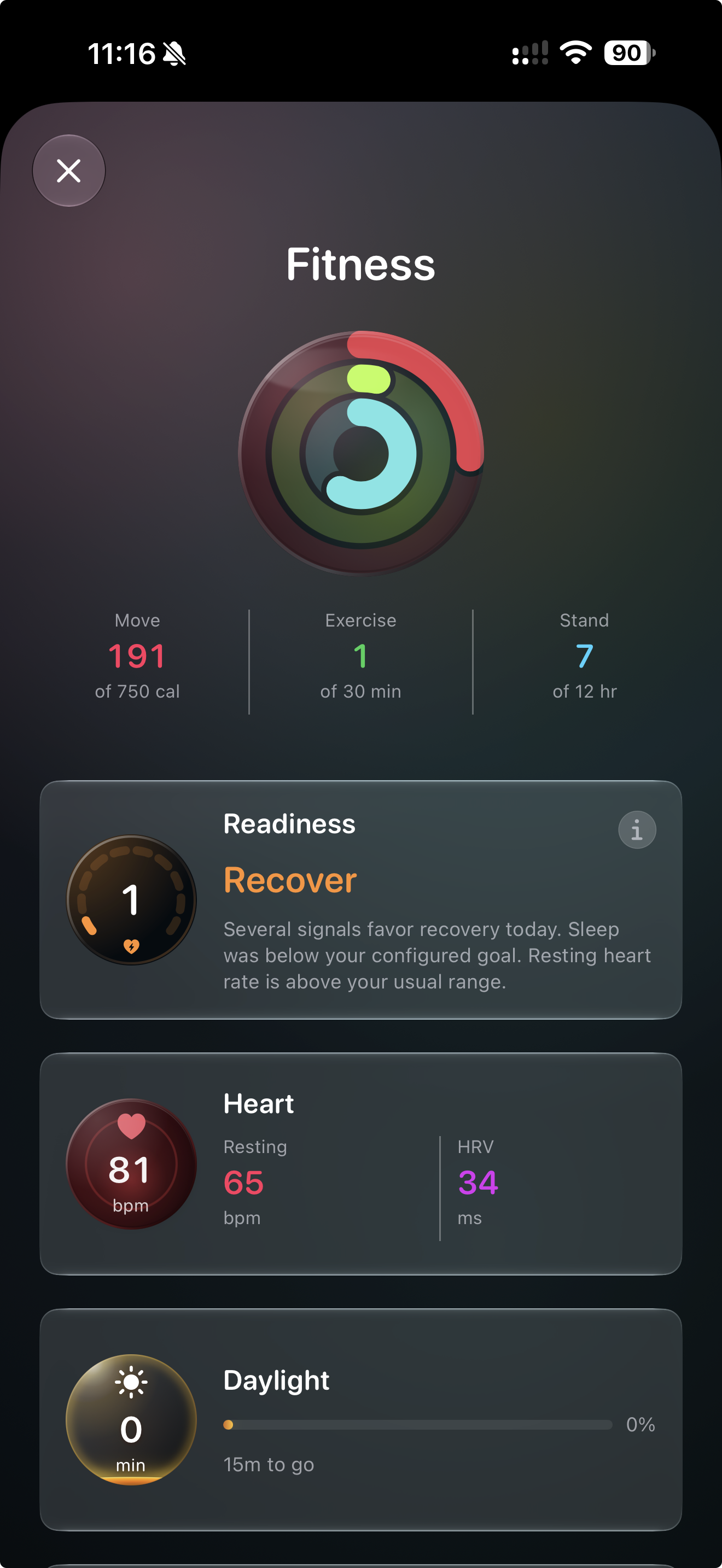
See activity rings, steps, heart rate, HRV, workouts, and fitness trends comparing your latest week with the week before.
Browse Recently Played, For You, Heavy Rotation, your playlists, and curated stations. Pin favorites across iPhone, iPad, and Mac with iCloud. Apple Music subscription required.
Set bedtime, wake time, wind-down, and optional wake alarms. Adjust your next sleep schedule without rewriting your routine.
Keep the dates you look forward to in view. Count down to events, birthdays, and anniversaries with a personal photo or an image from Unsplash, right on your Now screen.
Ask Siri to start a mindfulness or focus session, log water, or get your Current Summary. Use keyboard commands for common actions on iPad and Mac.
Choose the signals you see, their order, and their display styles. Switch among activity rings, heart rate, daylight, hydration progress, sleep time, and more.
Birthday events with one-tap actions like call, message, FaceTime, or email.
Create events and standard reminders without leaving your day. Go Pro for medication and payment reminders with status and history.
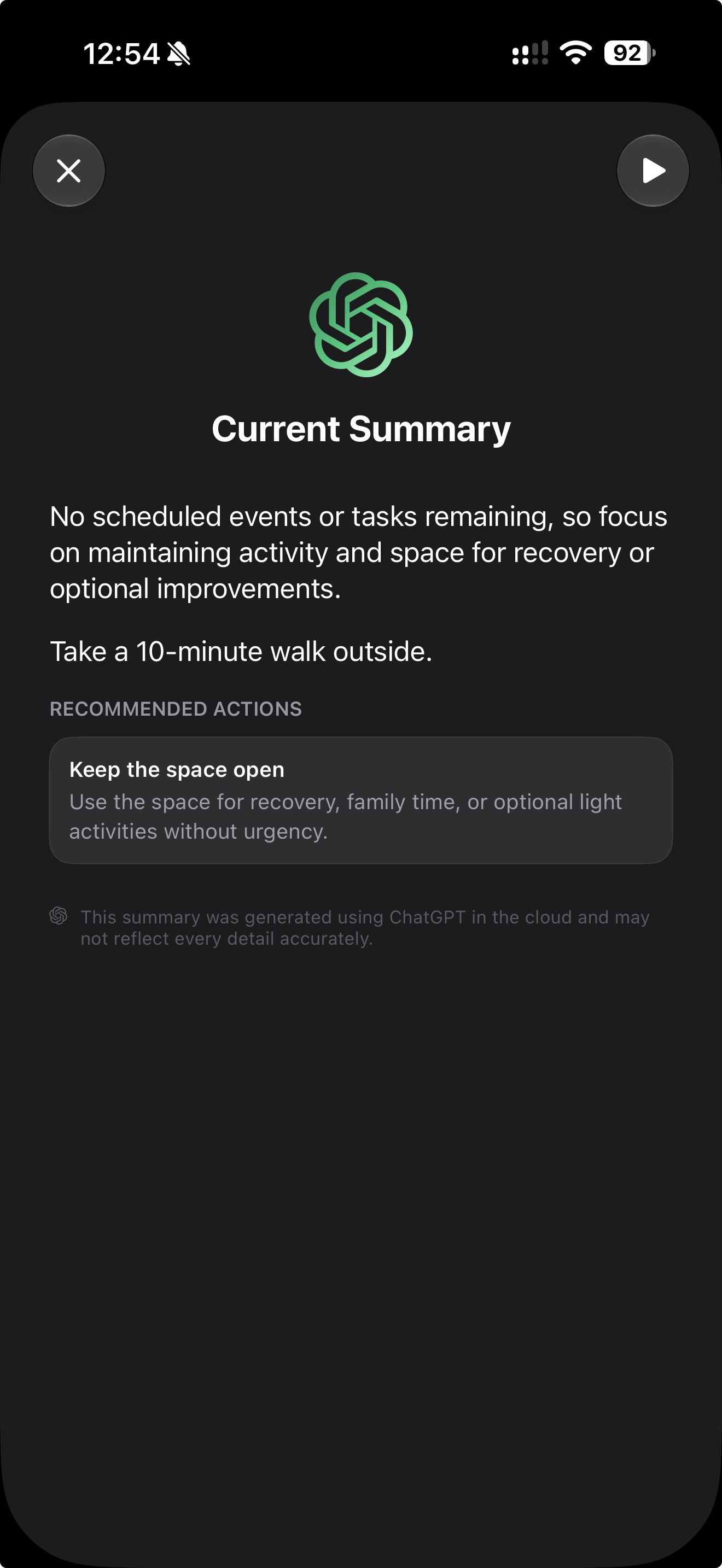
AI Current Summary
Day Agenda reads your schedule, sleep, recovery, health, weather, and timing, then gives you a current summary that adapts throughout the day. If it is time to focus, it helps you focus. If it is time to wind down, it tells you that too.
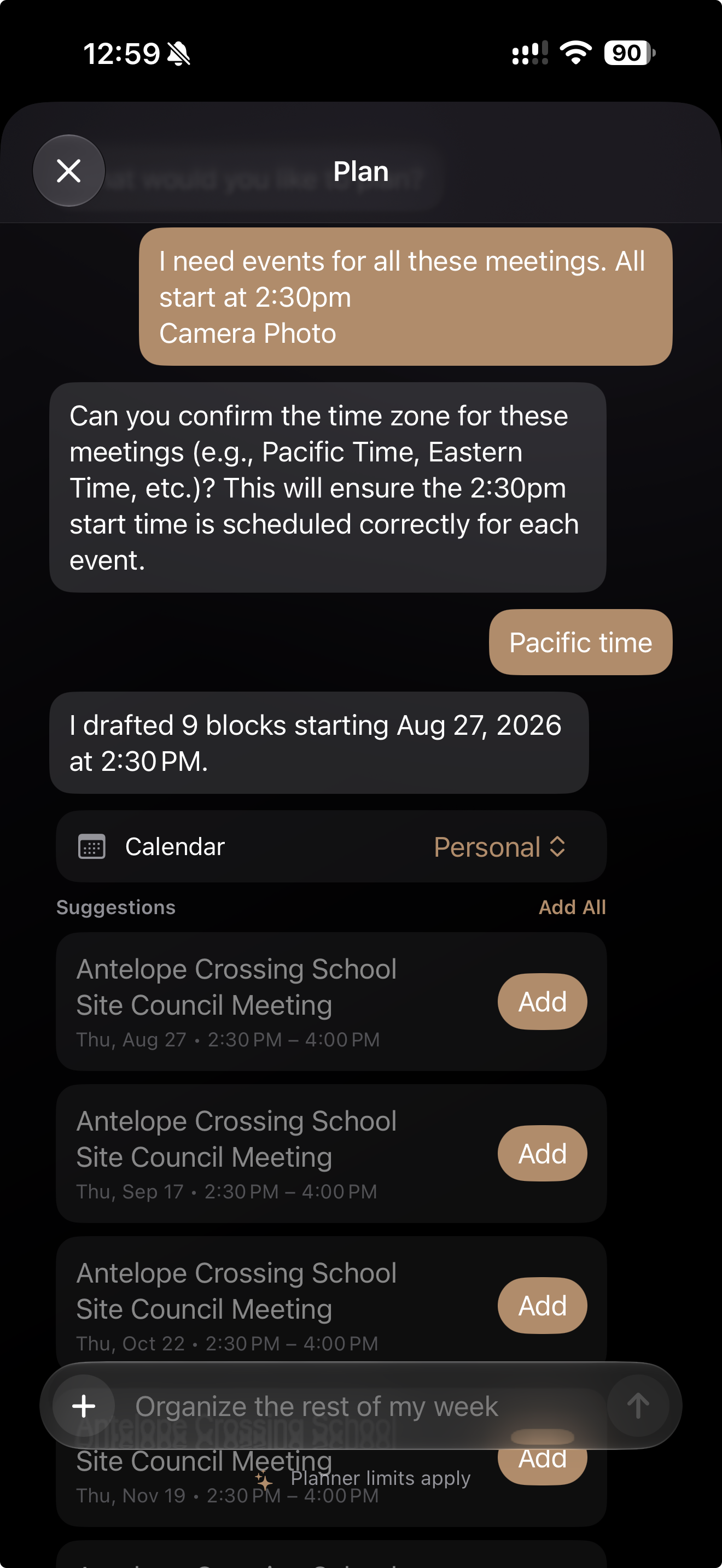
AI Planner
Type a request, attach a photo or file, or snap a picture of a schedule. Day Agenda turns the details into suggested events and tasks you can review, edit, and add to your day.
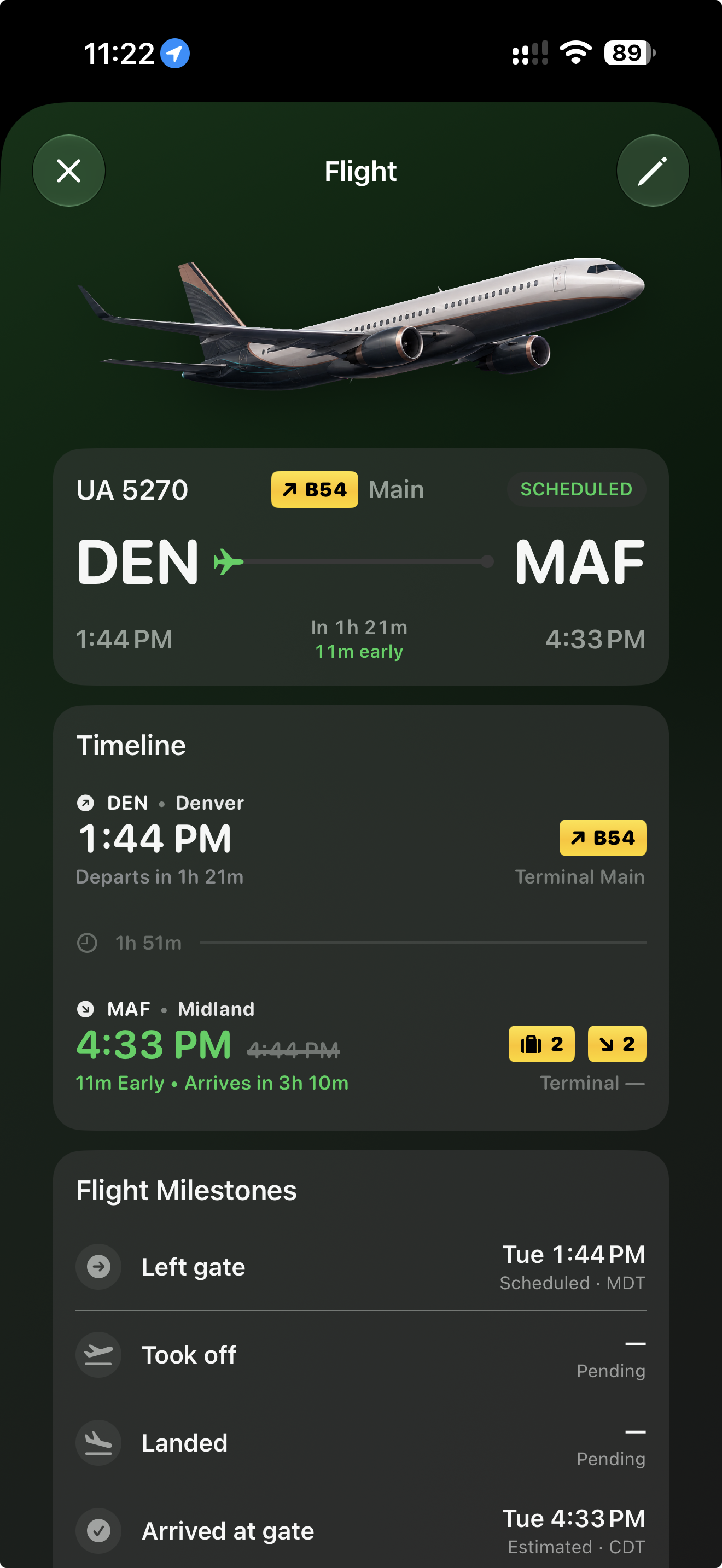
Flight Tracking
Upcoming flights appear directly in your timeline with live status, gate info, departure time, and delays. No separate tracking app. No hunting through email.
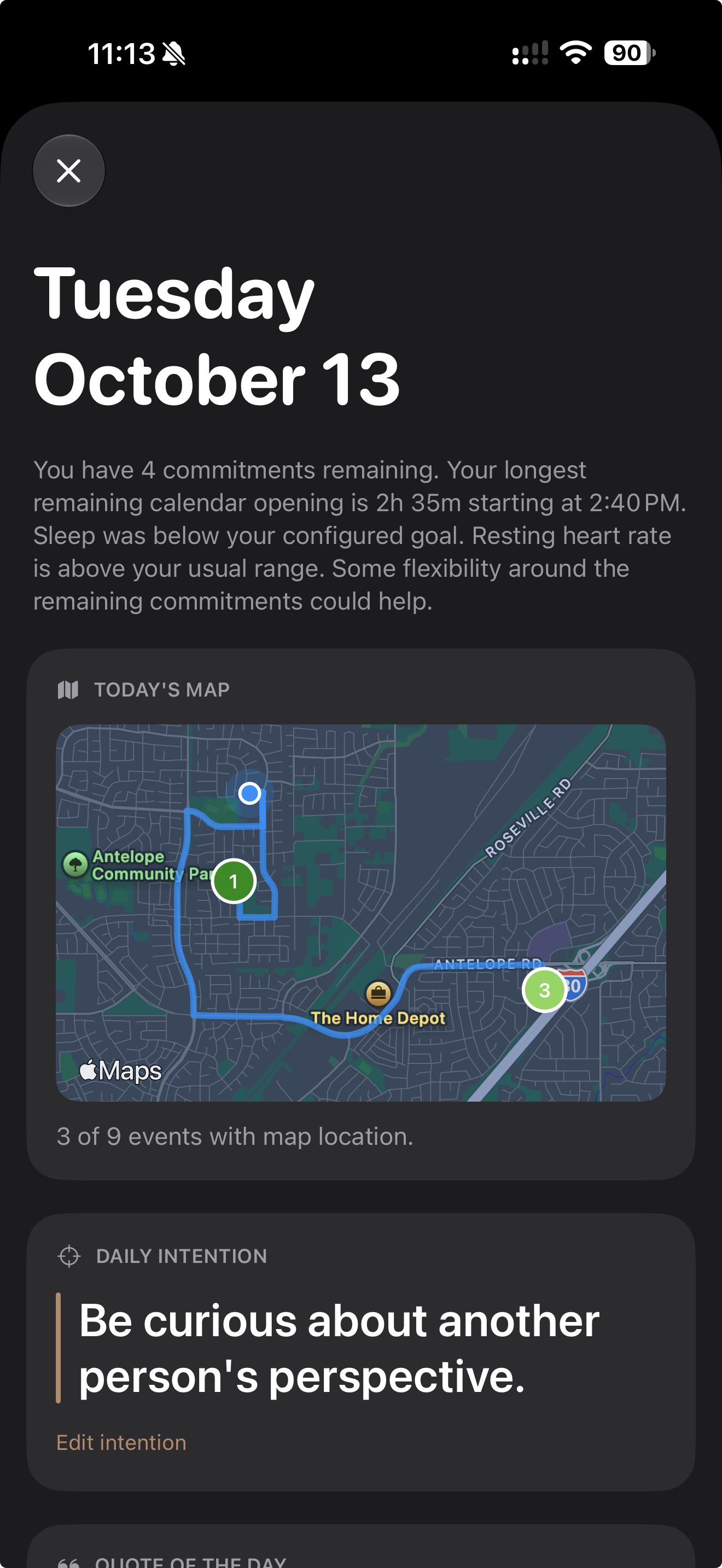
Daily Digest
Turn Day Agenda into a personal daily digest. Choose the sections you want, reorder them, and keep the mix synced across your devices.
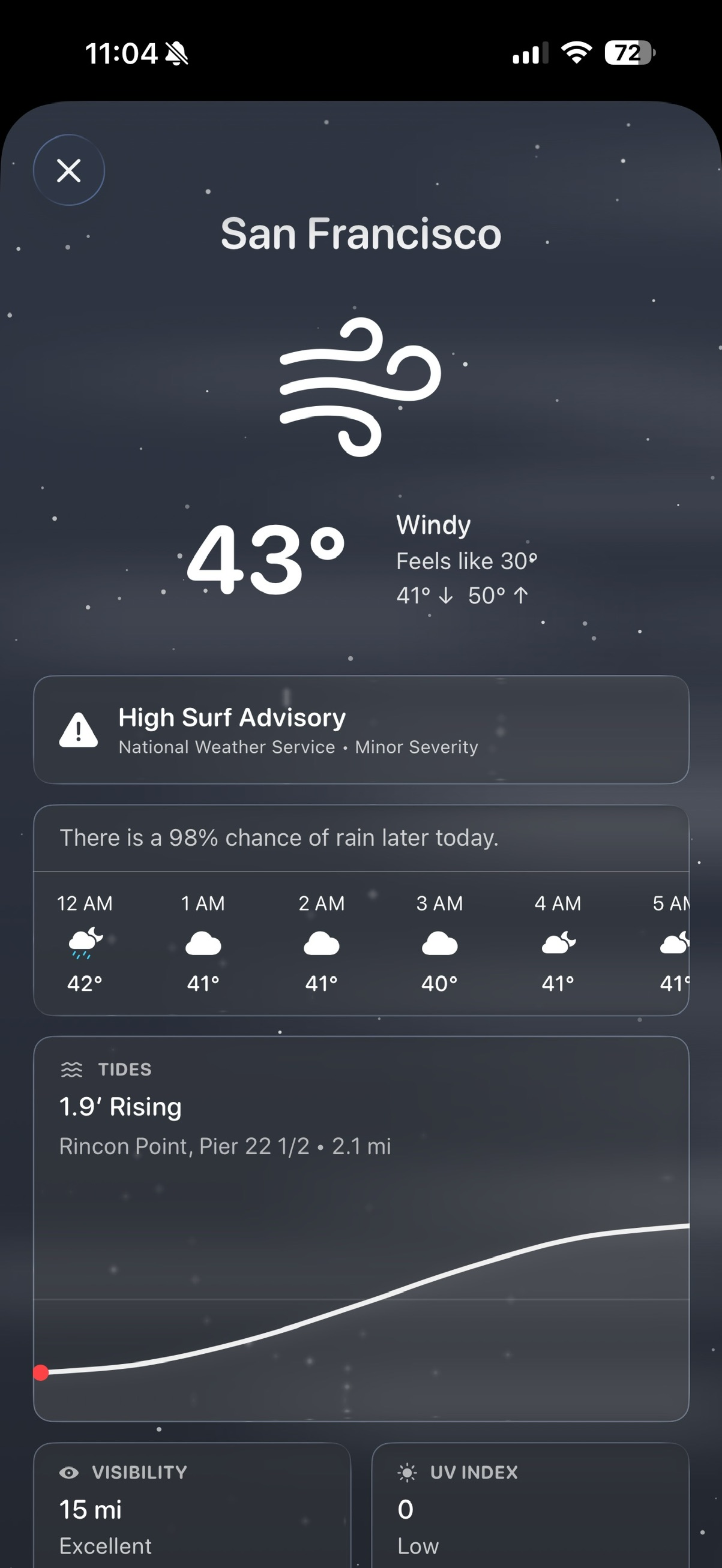
Adaptive Weather
Live WeatherKit conditions built into your day. Visuals shift with your real sky so you plan around what is actually happening outside.
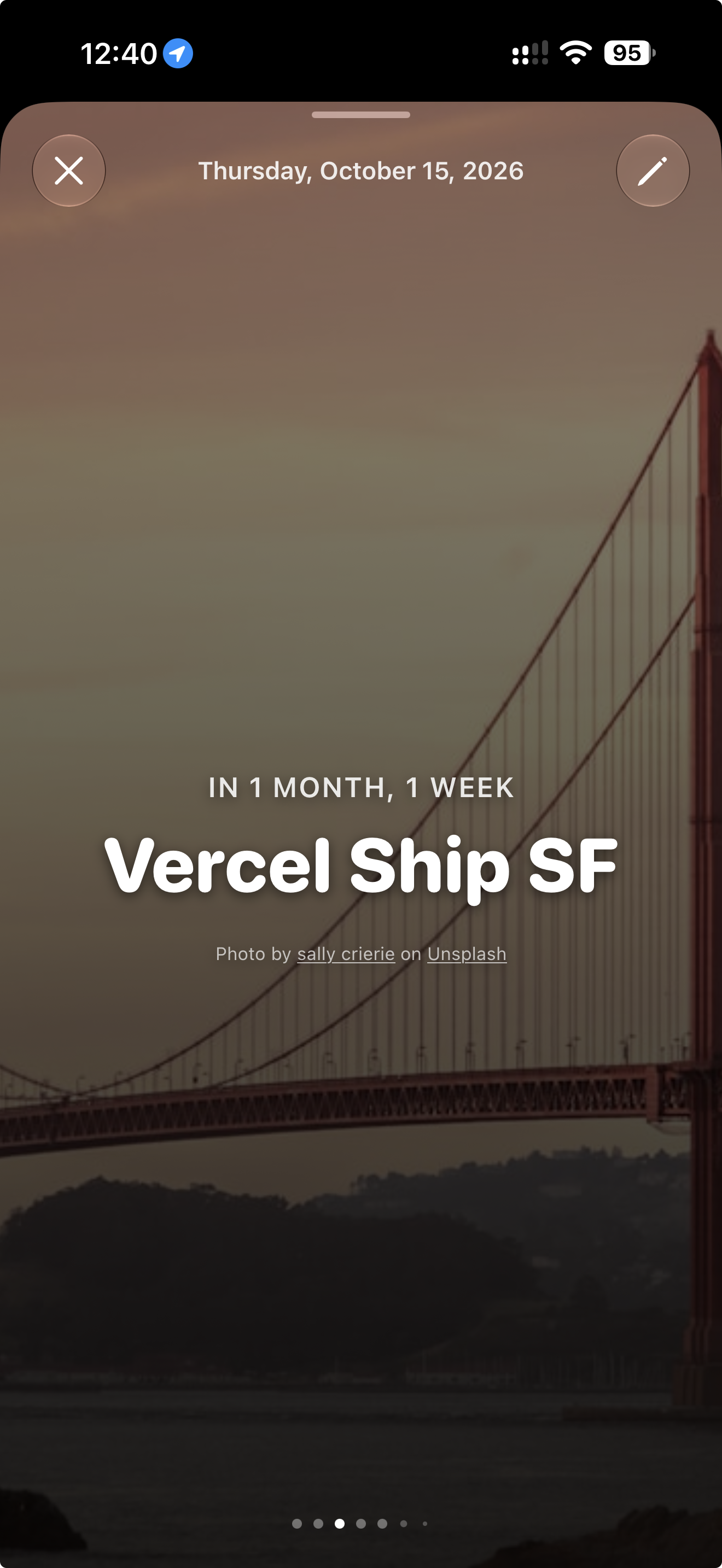
Visual Countdowns
Give the dates that matter a place in your day. Create a visual countdown for a birthday, anniversary, trip, or upcoming event, then make it yours with a photo or an image from Unsplash.
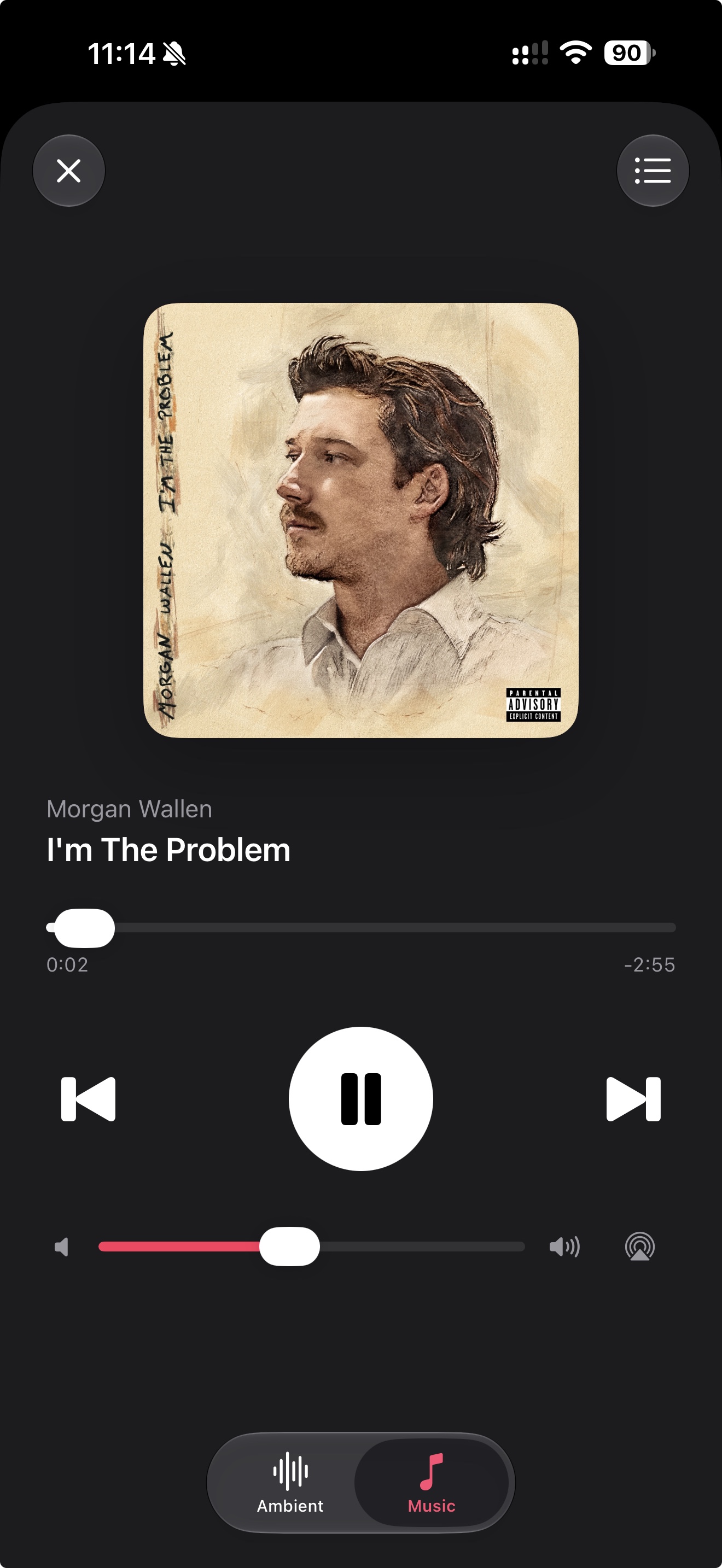
Media Player
Bring a soundtrack to your day with Apple Music or the ambient sound collection. Rediscover familiar favorites, find something for focus or rest, and keep playback close with the mini player.
Apple Music requires an active subscription and permission. Available collections vary by account and region.
Sun & Moon
Sunrise, sunset, moonrise, phase, and total daylight built directly into your daily timeline. Not hidden in a weather tab. Treated as real events.
Health & Goals
Day Agenda keeps your goals visible at the right moments, so you can take action without bouncing between apps.
Sleep & Daily Rhythm
Review your sleep score, stages, and overnight vitals alongside your schedule. Set recurring bedtimes, wind-down time, and optional wake alarms, or adjust just your next sleep schedule.
Audio & Timers
Choose Basic, Mindfulness, Focus, or Sleep. Play Apple Music or ambient sounds during a session. When it is time to wind down, the Sleep Timer stops playback quietly without an alarm, notification, or haptic alert.
Fitness
Track workouts, activity rings, steps, heart data, and rolling trends in one place. See how your training is progressing and adjust your day based on real recovery and performance signals.
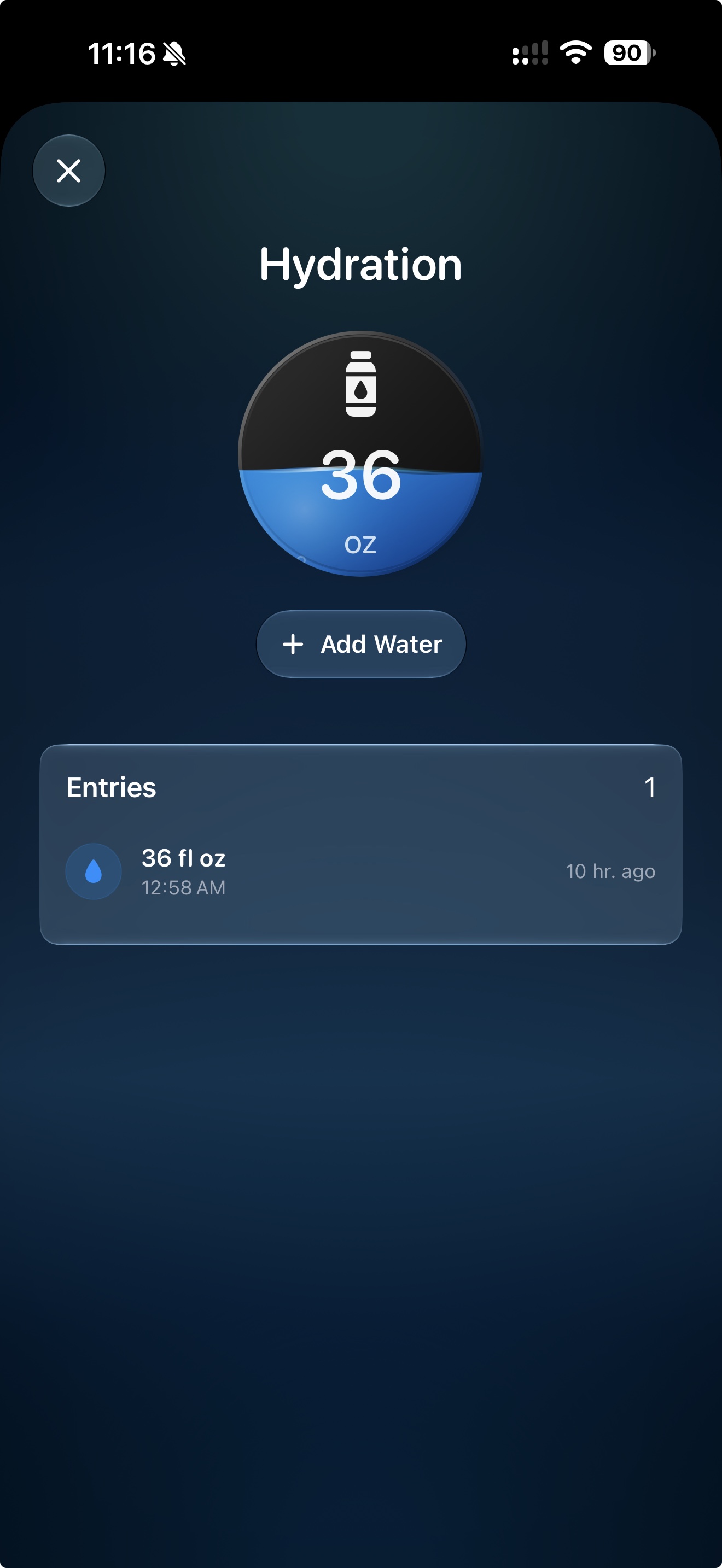
Hydration
Log water throughout the day, track your daily total, and see recent entries without opening another app. Simple, fast, and built into your daily rhythm.
Daily Tools
From event directions and birthday actions to medications, payments, reminders, and timer modes, Day Agenda keeps the useful details close without making your day feel crowded.
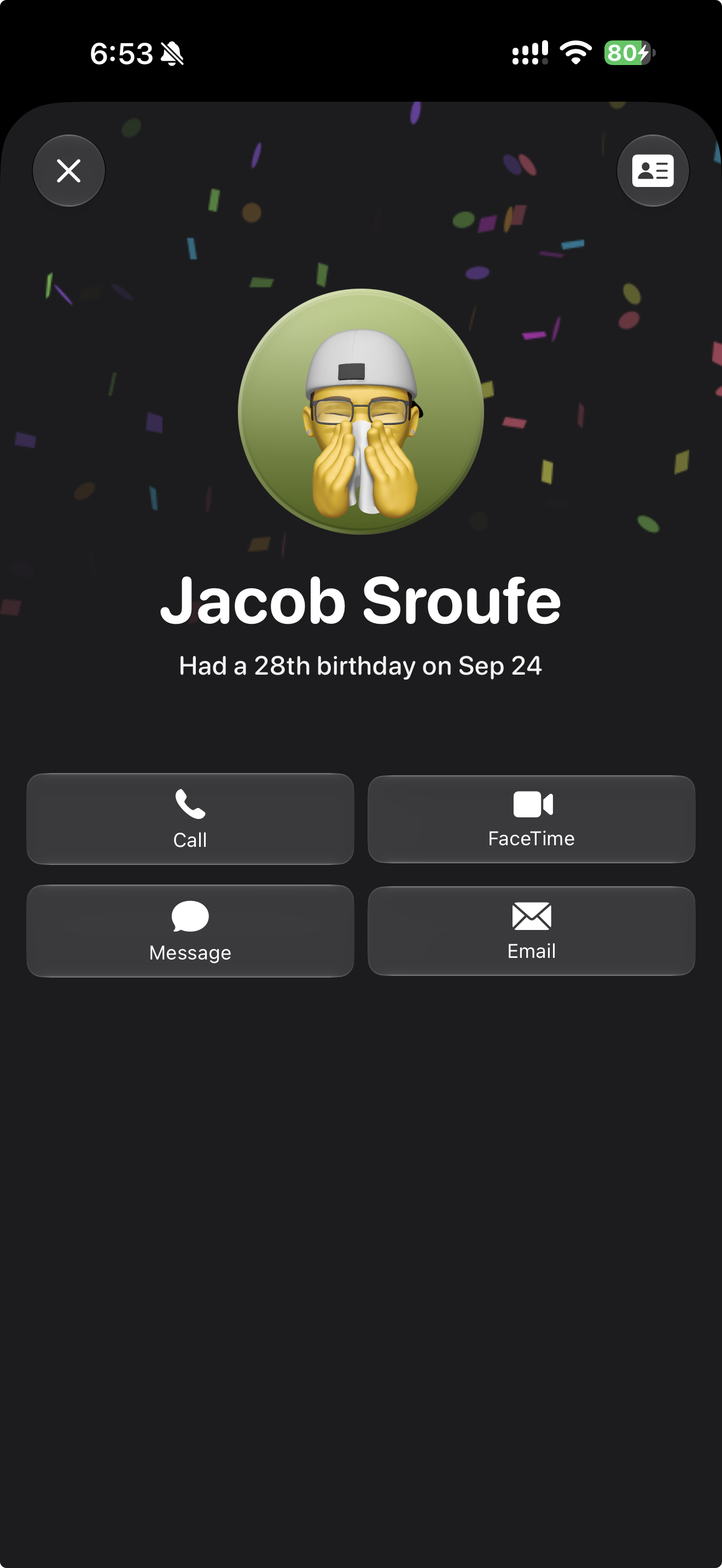
See birthday events with quick actions for call, FaceTime, message, or email.
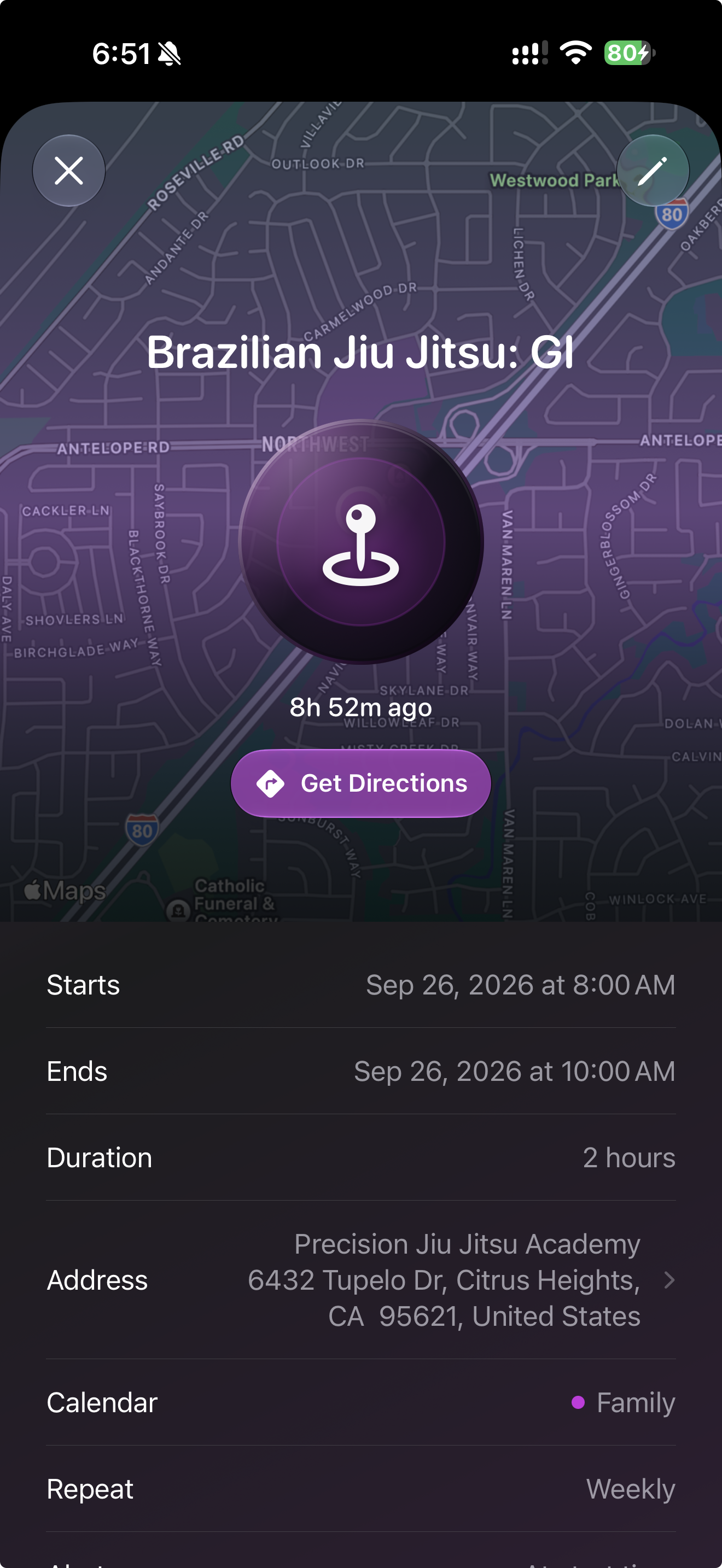
See timing, location, repeat details, and directions without digging through your calendar.
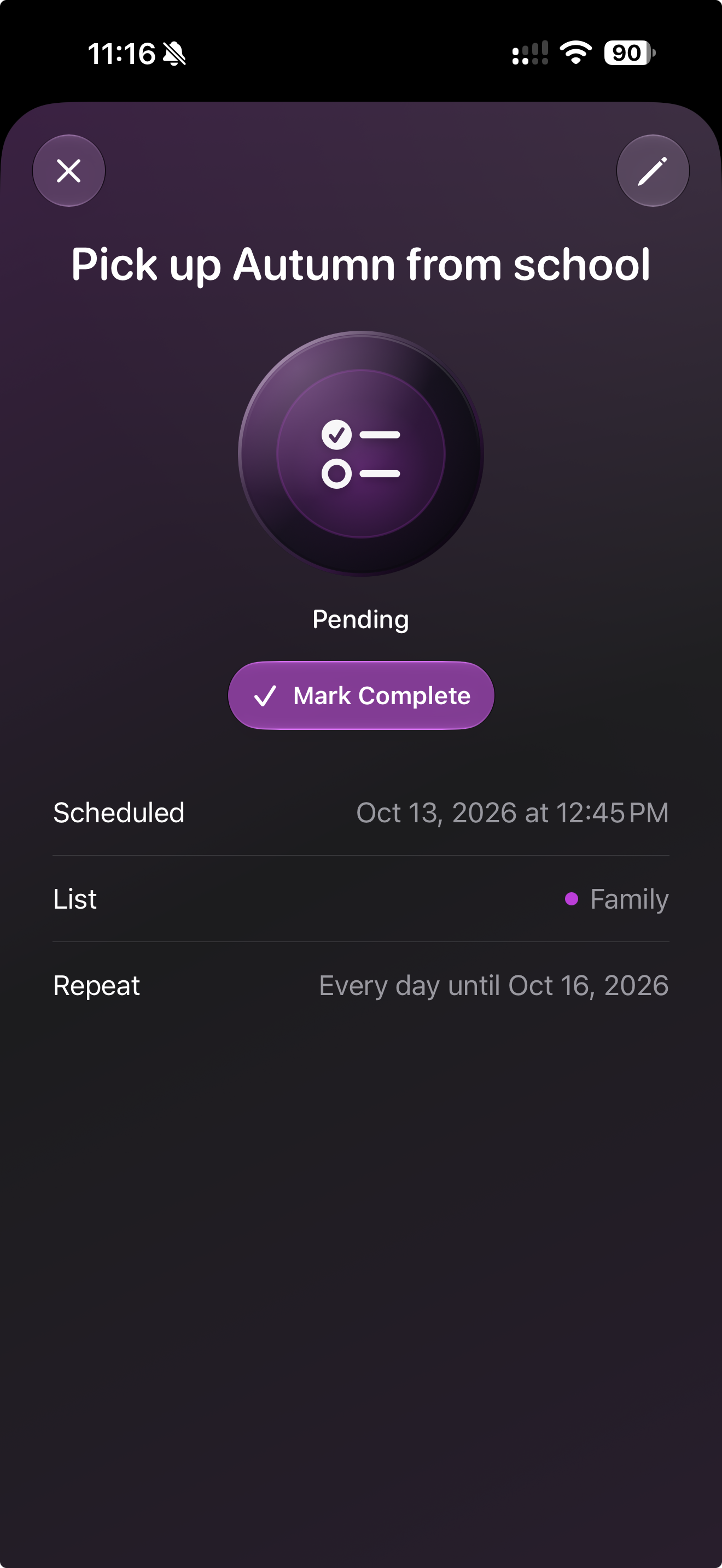
Review a reminder's schedule, list, alert, and completion status in one focused view.
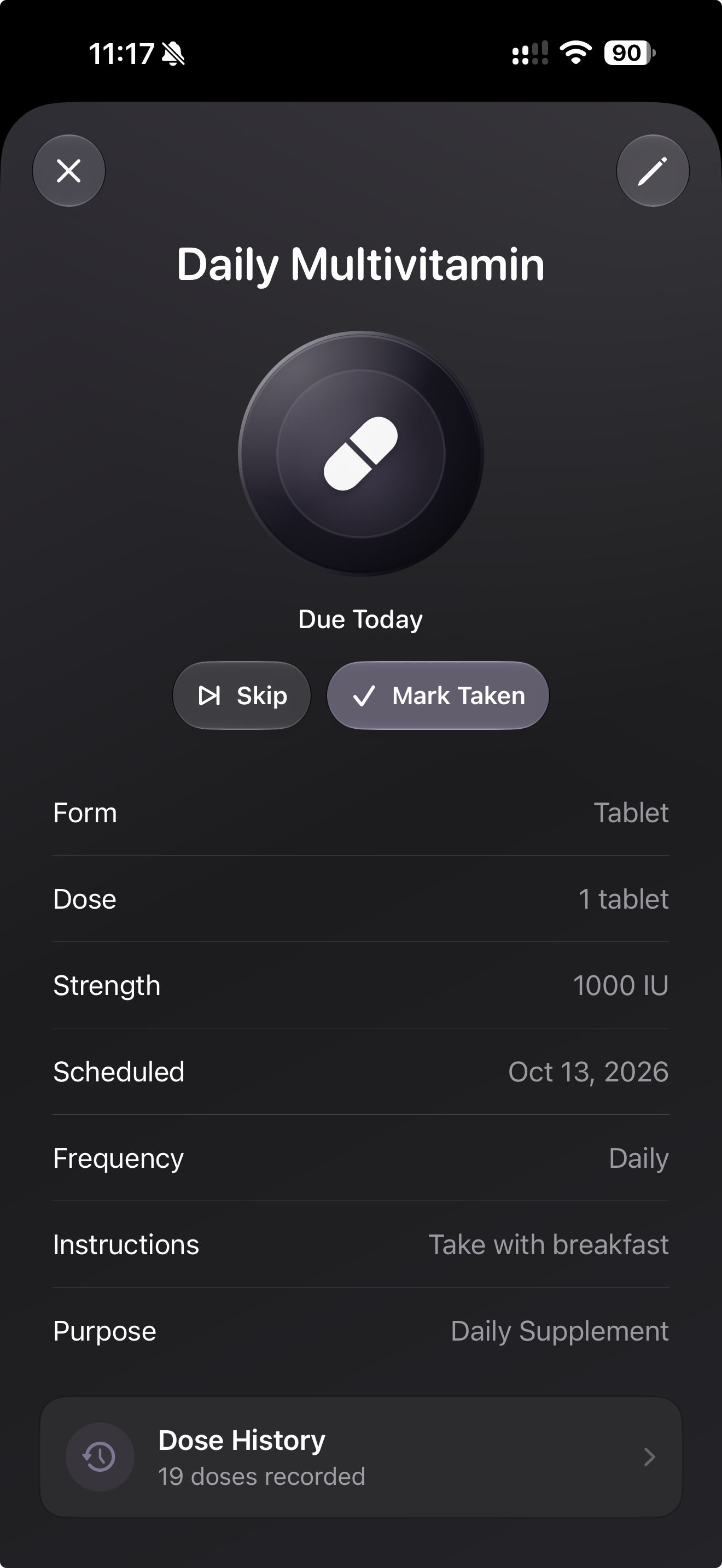
Track scheduled medication details, status, instructions, and dose history at a glance.
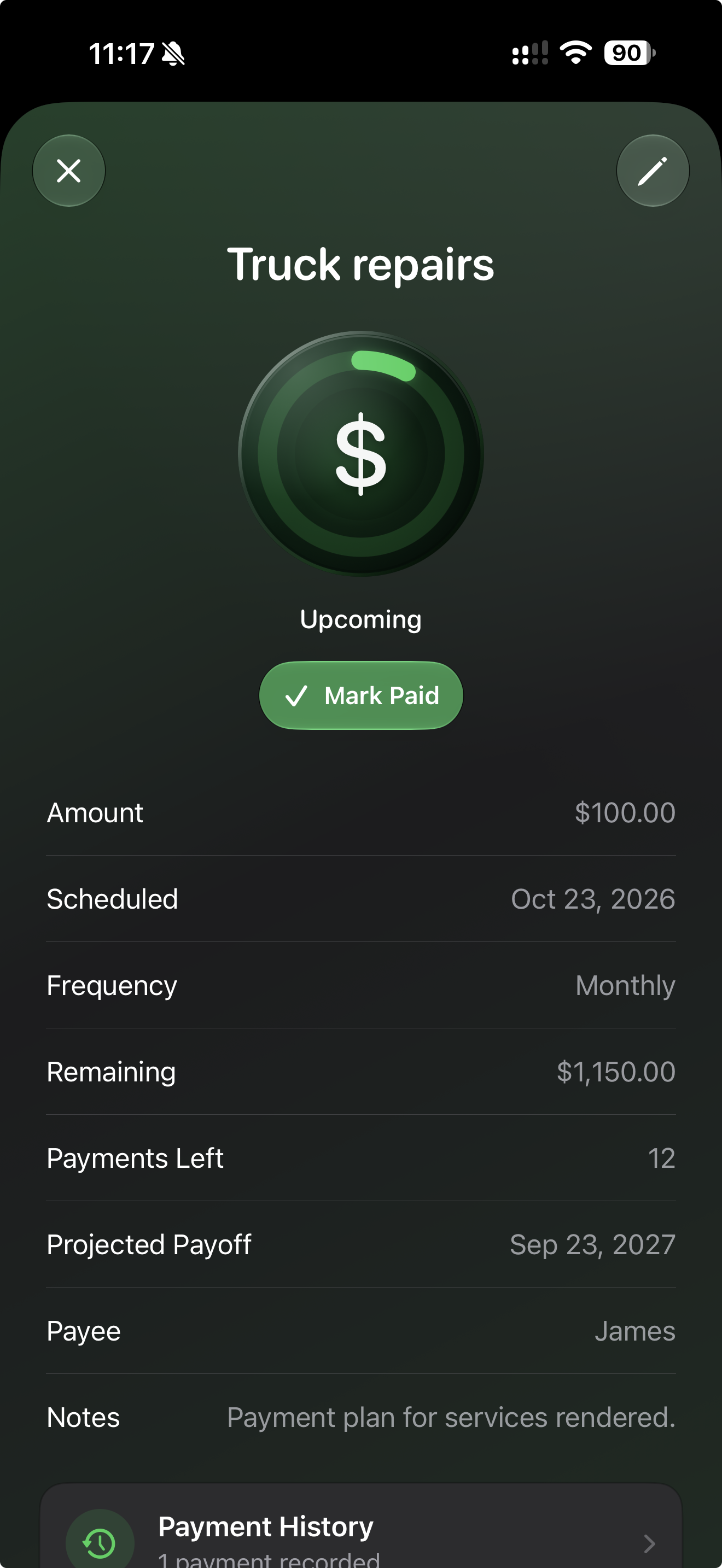
Keep recurring payment details, remaining balance, payoff timing, and history together.
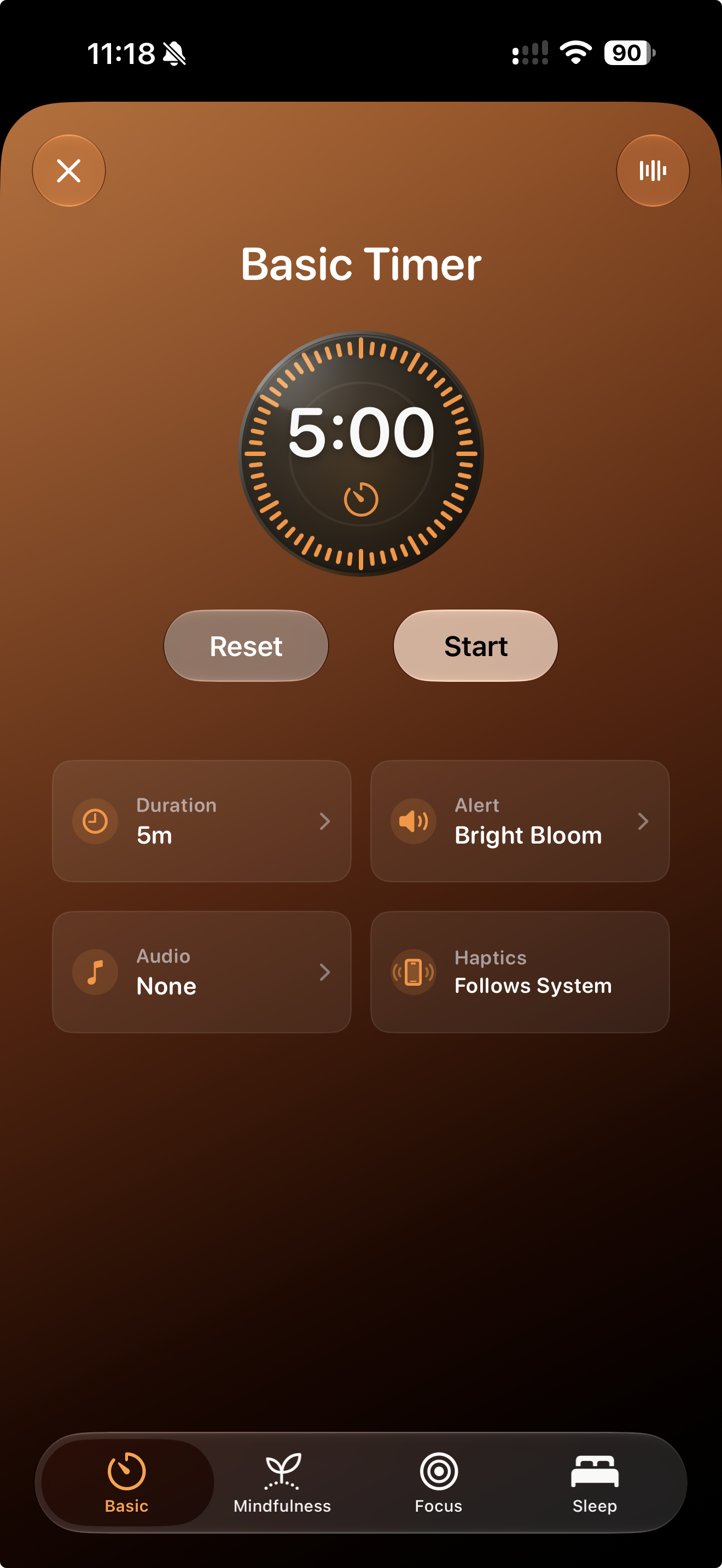
Run a simple countdown with sound, haptics, and ambient audio when you need it.
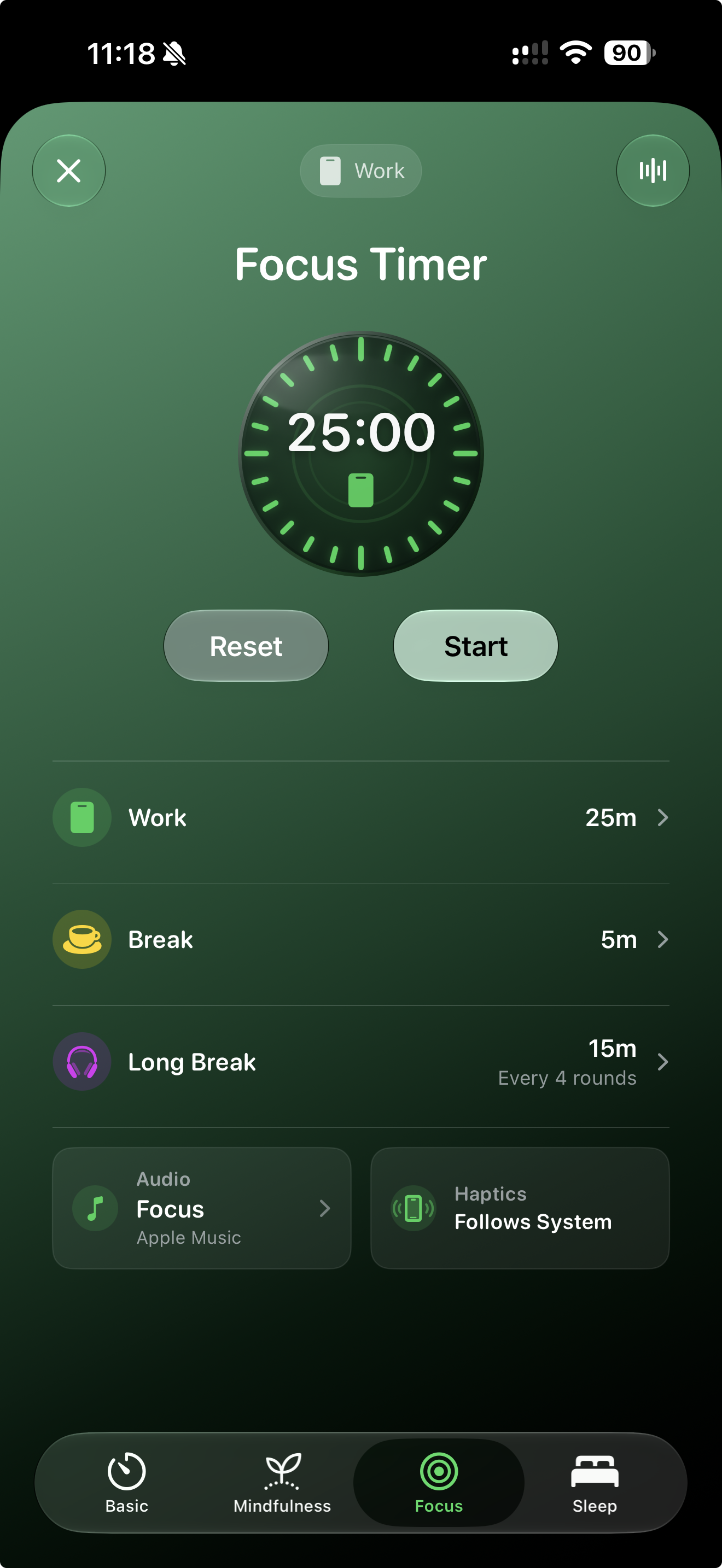
Use Pomodoro-style work and break sessions with long breaks, alerts, and ambient sound.
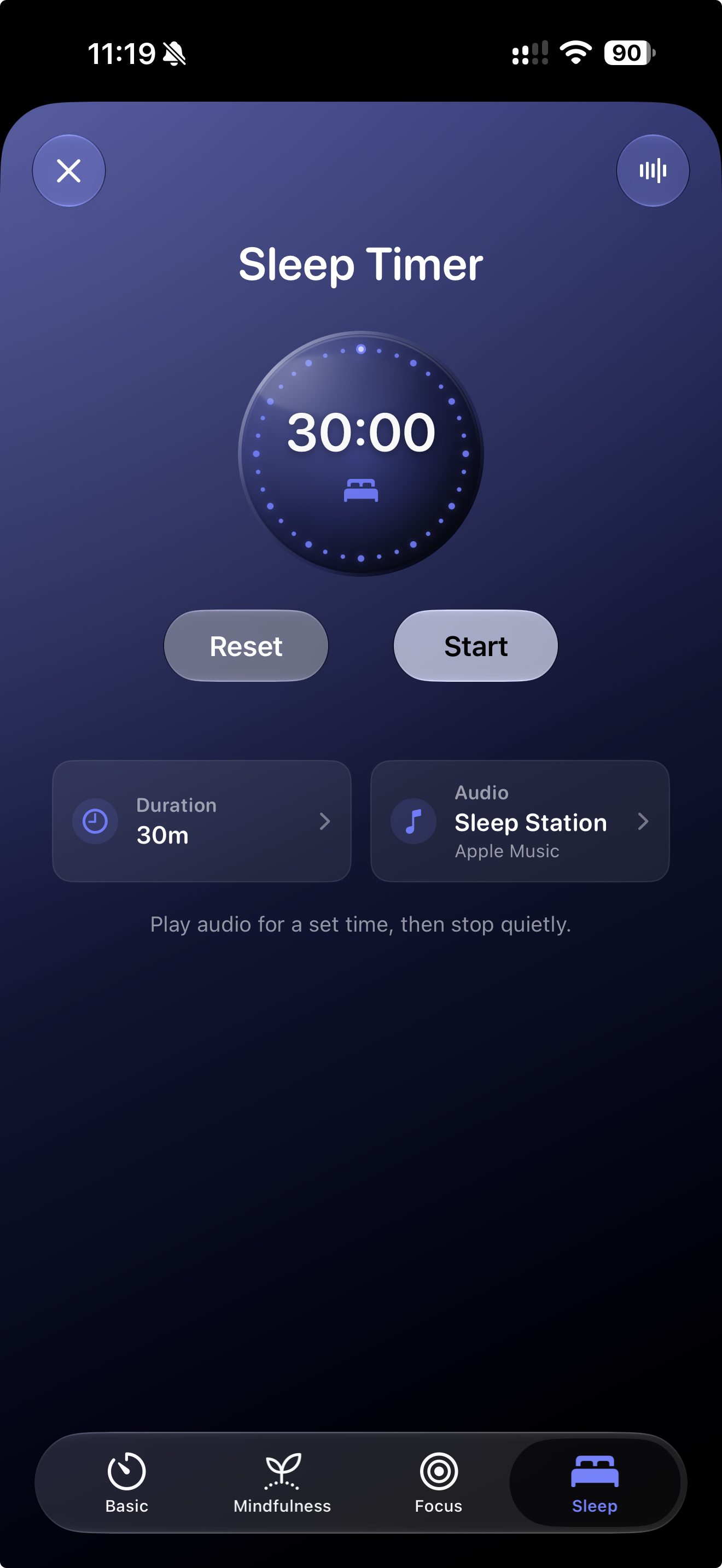
Drift off with Apple Music or ambient audio for a set time, then let it stop quietly. No alarms, alerts, or haptics.
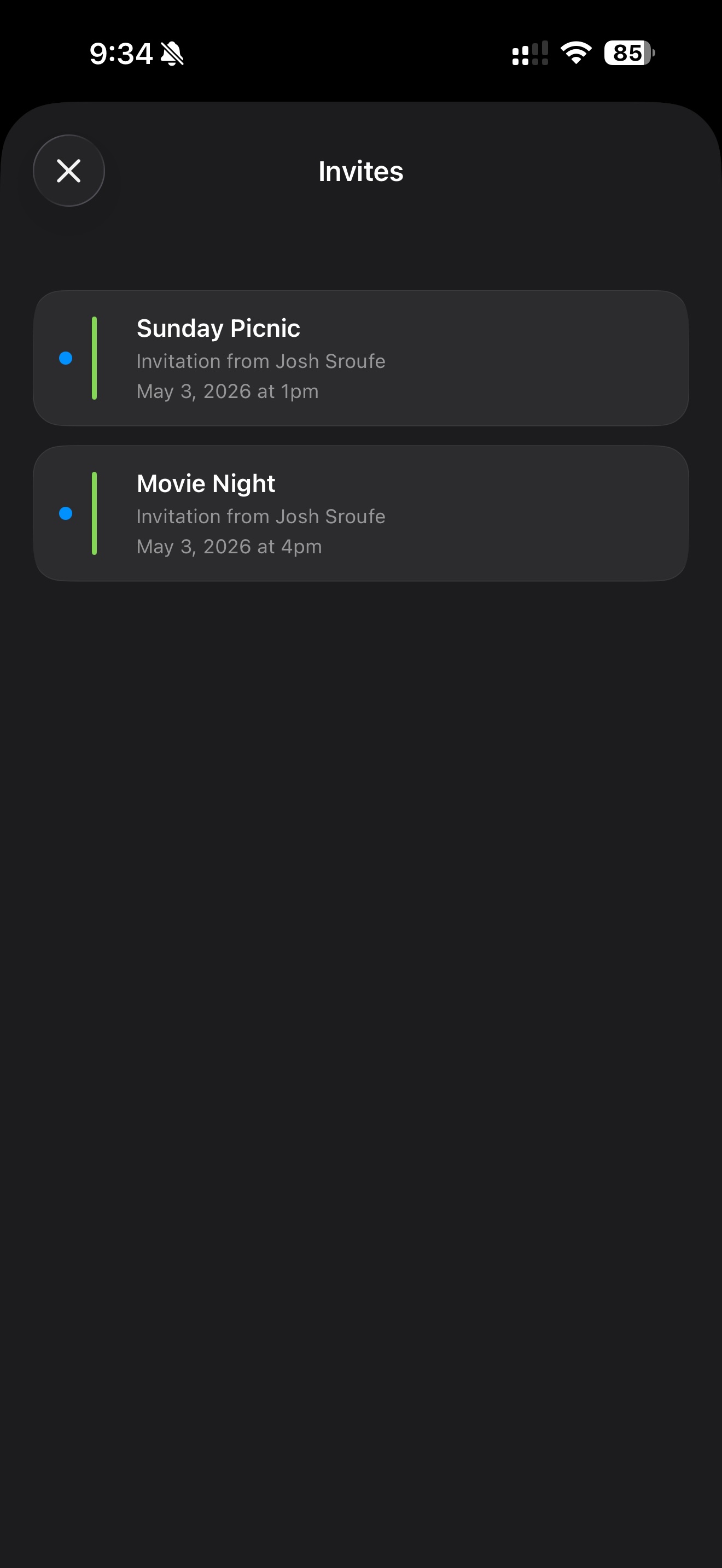
Review incoming calendar invitations in a clean list so nothing important slips by.
Pricing
The core experience is free. Go Pro to unlock advanced planning, medication and payment reminders, deeper weather, focus tools, sleep insights, and flight tracking.
No ads. No Day Agenda account required. *Apple Music requires an active Apple Music subscription and permission; available music varies. iCloud sync requires the same Apple Account. Health, alarms, Siri, and Live Activities depend on supported devices, data, and permissions. AI Planner usage limits apply.
Reviews
Real words from real users.
It’s the first thing I open every day. Calendar, weather, health rings, and sunrise all in one place. It sets the tone perfectly.

It told me to go easy today because my sleep was rough and rain was coming. I don’t know another app that connects those dots.
Moon phases, tides, sleep stages, activity rings, focus timers. It was designed for how I actually live. Stunning, and I can’t believe it’s free to start.
Your schedule, health, sleep, and weather.
Finally working together.